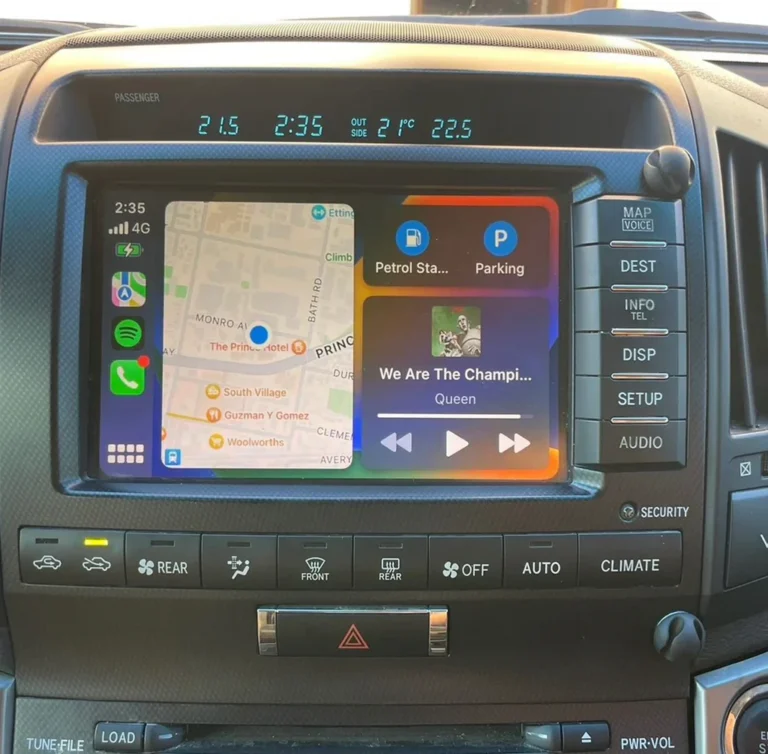
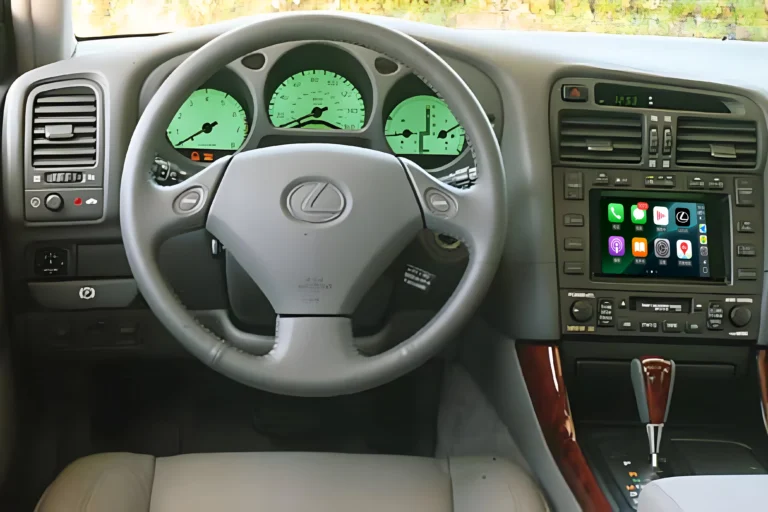
Will My Steering Wheel Controls Still Work With CarPlay & Android Auto?
Yes — on most compatible vehicles, your factory steering wheel controls can continue to work after installing a CarPlay or Android Auto retrofit.
If you’re considering adding wireless Apple CarPlay or Android Auto to an older Toyota or Lexus, you may have one important question:
Will I still be able to control volume, change tracks, answer calls, and use the buttons on my steering wheel?
In most properly integrated retrofit systems, the answer is yes.
However, steering wheel control compatibility depends on your vehicle, model year, factory head unit, and the specific CarPlay or Android Auto integration system you choose.
That’s why it’s important to understand how the system works before buying.
What Are Steering Wheel Controls?
Steering wheel controls are the buttons built into your vehicle’s steering wheel that allow you to operate certain functions without reaching for the center display.
Depending on the vehicle, these controls may include:
- Volume up and down
- Next/previous track
- Audio mode selection
- Phone answer/end buttons
- Voice assistant activation
- Mute
- Menu or navigation controls
These buttons are particularly useful when using Apple CarPlay or Android Auto because they let you control common functions while keeping your hands closer to the steering wheel.
Will My Steering Wheel Controls Work With CarPlay?
In most compatible retrofit installations, yes.
A properly designed CarPlay retrofit doesn’t necessarily replace your vehicle’s original control system.
Instead, the integration module works with the factory infotainment system so that the original steering wheel buttons can continue sending commands.
This means you can often use the same buttons you’ve been using for years to control your upgraded infotainment experience.
For example:
Volume + / − → Adjust CarPlay audio volume
Next / Previous → Change songs or media
Phone button → Answer or end a call
Voice button → Activate Siri or Google Assistant
The exact functions depend on the vehicle and factory head unit.
What Steering Wheel Functions Can I Usually Keep?
On compatible Toyota and Lexus vehicles, commonly supported functions may include:
| Steering Wheel Function | CarPlay / Android Auto |
|---|---|
| Volume Up / Down | ✅ Supported on compatible systems |
| Previous / Next Track | ✅ Supported |
| Answer Phone Call | ✅ Supported |
| End Phone Call | ✅ Supported |
| Voice Assistant Button | ✅ Supported on compatible models |
| Audio / Mode Button | ✅ Vehicle dependent |
| Factory Camera Controls | ✅ Vehicle dependent |
| Other OEM Buttons | ⚠️ Depends on vehicle |
The important point is that compatibility is vehicle-specific.
A button that performs one function on a Lexus GS may perform a different function on another Toyota or Lexus model.
How Do Steering Wheel Controls Work With a CarPlay Retrofit?
Your steering wheel buttons are normally connected to the vehicle’s factory electronics and infotainment system.
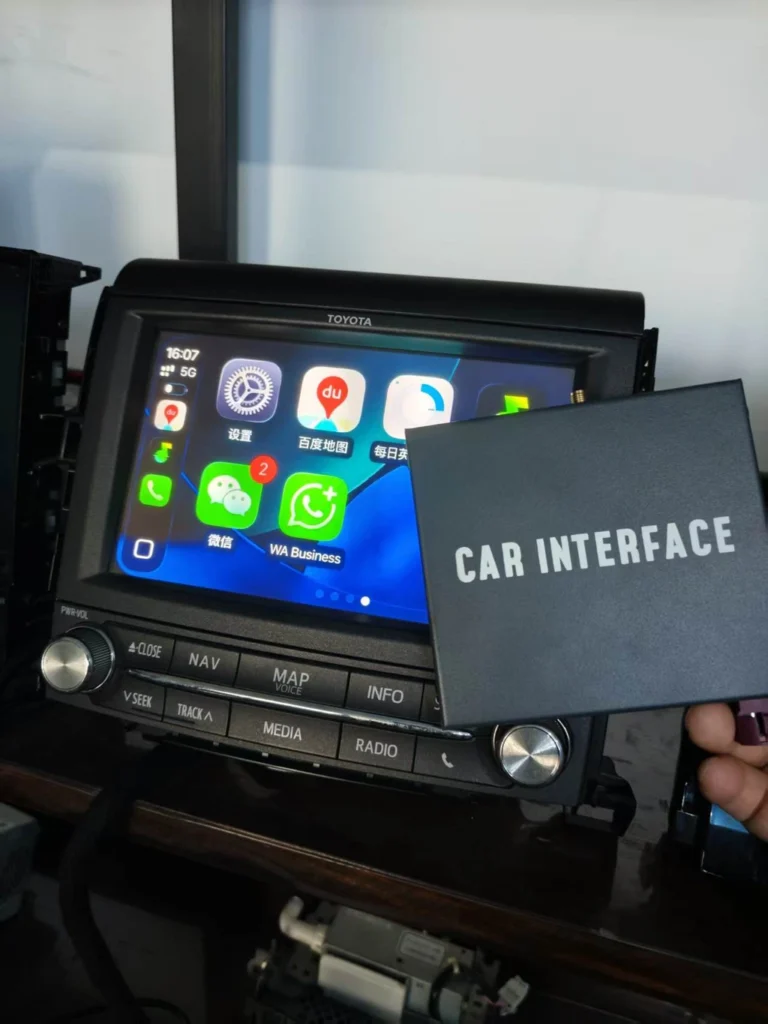
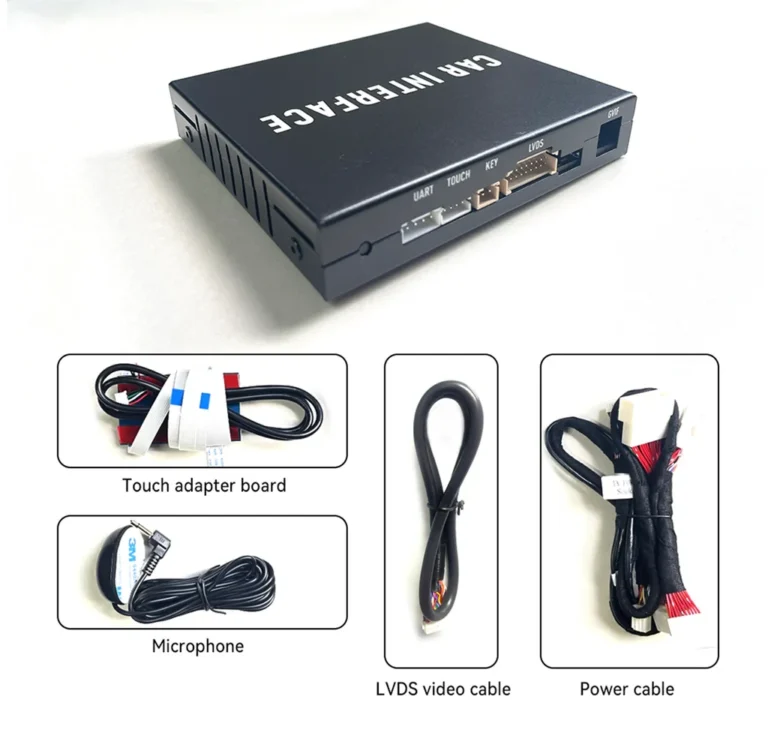
A vehicle-specific CarPlay retrofit integrates with that existing system.
The basic relationship looks like this:
Steering Wheel → Factory Vehicle System → Retrofit Interface → CarPlay / Android Auto
When you press a button, the retrofit system can interpret the relevant command and allow the connected CarPlay or Android Auto environment to respond appropriately.
This is very different from simply placing a new screen in the dashboard.
The goal of an OEM-style retrofit is to add modern smartphone connectivity while preserving as much of the original vehicle experience as possible.
Do I Have to Replace My Steering Wheel?
No.
Adding Apple CarPlay or Android Auto does not normally require replacing the steering wheel itself.
The buttons remain physically the same.
The goal is to integrate the new smartphone interface with the existing vehicle controls.
This is one of the biggest advantages of a factory-style retrofit.
You don’t have to learn an entirely new control system just because you upgraded your infotainment.
What About Wireless Android Auto?
The same principle applies to Android Auto.
If you have a compatible Android phone and a compatible vehicle-specific retrofit system, your existing steering wheel controls can continue to provide convenient control over supported functions.
For example:
- Adjusting volume
- Skipping tracks
- Answering calls
- Ending calls
- Activating Google Assistant
The exact functions depend on the vehicle and integration system.
Why Keeping Steering Wheel Controls Matters
It may seem like a small feature, but steering wheel control integration has a major impact on everyday usability.
Imagine driving and wanting to change the volume.
Without steering wheel controls, you need to reach toward the center display.
With working steering wheel controls, you can simply press the volume button.
The same applies when:
- Skipping a song
- Answering a phone call
- Activating a voice assistant
- Changing audio sources
This makes CarPlay and Android Auto feel much more like part of the vehicle rather than an aftermarket accessory.
OEM Screen + Steering Wheel Controls: A Better Retrofit Experience
One reason many Toyota and Lexus owners choose a retrofit instead of replacing the entire head unit is that they want to preserve the original interior.
The factory screen, buttons, steering wheel and audio system were designed to work together.
Replacing everything can change the appearance and potentially affect factory functions.
A vehicle-specific integration solution takes another approach:
Keep what already works.
Then add what the vehicle is missing.
That can include:
- Wireless Apple CarPlay
- Wireless Android Auto
- Smartphone navigation
- Music streaming
- Hands-free calling
- Siri
- Google Assistant
while retaining compatible factory controls.
This is the philosophy behind AUVETO’s Toyota and Lexus retrofit solutions.
Will Every Steering Wheel Button Work?
Not necessarily.
This is one of the most important things to understand before purchasing a CarPlay retrofit.
There are many different Toyota and Lexus factory infotainment systems, and compatibility can vary by:
- Vehicle model
- Model year
- Trim level
- Factory navigation
- Factory head unit
- Display configuration
- Original audio system
Some buttons may work exactly as before.
Others may have different functions.
And some vehicle-specific functions may remain controlled exclusively through the original factory system.
Therefore, don’t rely only on the vehicle model name.
Check the exact compatibility information for your vehicle and factory head unit.
How to Check CarPlay Steering Wheel Control Compatibility
Before purchasing a retrofit system, collect these details:
1. Vehicle make
For example:
Toyota or Lexus
2. Model
For example:
Lexus GS, Lexus RX, Lexus IS, Toyota Crown
3. Model year
A 2010 vehicle and a 2015 vehicle may use completely different factory infotainment systems.
4. Factory screen
Determine whether your vehicle has:
- Factory navigation
- Factory touchscreen
- Standard factory display
- Different-size OEM display
5. Factory head unit
This can be especially important for older Toyota and Lexus vehicles.
If you’re unsure, photos of your dashboard and factory screen can help identify the system.
CarPlay Retrofit vs. Replacing the Head Unit
If maintaining your steering wheel controls is important, it’s worth comparing a retrofit with a complete aftermarket head-unit replacement.
| Feature | CarPlay Retrofit | Full Head Unit Replacement |
|---|---|---|
| Factory Screen | Often retained | Usually replaced |
| Factory Appearance | High | Can change |
| Steering Wheel Controls | Can be retained on compatible vehicles | Depends on interface |
| Factory Audio | Can often be retained | May require integration |
| Backup Camera | Can often be retained | Depends on installation |
| Wireless CarPlay | ✅ | Often available |
| Android Auto | ✅ | Often available |
| Installation | Vehicle dependent | Usually more extensive |
Neither solution is automatically better for everyone.
If you want a completely new infotainment system, a head-unit replacement may make sense.
If you like your original dashboard and want to add modern smartphone connectivity, a retrofit can be a more natural solution.
What About Volume Control?
Volume control is one of the most frequently used steering wheel functions.
On compatible systems, your existing volume buttons can continue to control the audio level while using CarPlay or Android Auto.
That means you don’t need to reach toward the center display every time you want to turn the music up or down.
For daily driving, this small convenience makes a surprisingly large difference.
Can I Use Siri or Google Assistant From the Steering Wheel?
On compatible vehicles and systems, yes.
A steering wheel voice-control button can be used to activate the appropriate voice assistant.
With Apple CarPlay, this can mean Siri.
With Android Auto, this can mean Google Assistant or the voice assistant functionality supported by your current Android Auto environment.
Voice control allows you to perform tasks such as:
- Make phone calls
- Get navigation directions
- Send messages
- Change music
- Ask questions
without relying entirely on the touchscreen.
Does Wireless CarPlay Make Steering Wheel Controls Less Reliable?
Not necessarily.
The wireless connection and steering wheel control interface are separate aspects of the overall integration.
A quality vehicle-specific retrofit should be designed to work with the vehicle’s existing control system.
However, wireless performance and control compatibility can vary between products and vehicles.
That’s why buyers should look beyond the phrase “wireless CarPlay” and check the complete integration specifications.
The Most Important Question Isn’t “Does It Have CarPlay?”
When shopping for a retrofit, many buyers focus on one question:
Does it support Apple CarPlay?
That’s important—but it’s only the beginning.
A better set of questions is:
Does it support my exact vehicle?
Does it work with my factory head unit?
Can I keep my steering wheel controls?
Can I keep my factory screen?
Will my original audio system continue to work?
Will my backup camera still work?
Does it support both CarPlay and Android Auto?
These questions tell you much more about the quality of the integration.
Why AUVETO Focuses on Vehicle-Specific Integration
AUVETO’s Toyota and Lexus solutions are designed around specific factory infotainment configurations rather than treating every vehicle as the same.
That matters because an older Lexus GS, Toyota Crown, or another Toyota/Lexus model may have a completely different factory system from a newer vehicle.
A vehicle-specific approach allows the retrofit to focus on compatibility with the existing:
- Factory display
- Head unit
- Steering wheel controls
- Audio system
- Vehicle electronics
The result is intended to feel less like a replacement and more like an upgrade to the original system.
FAQ
Will my steering wheel controls work after installing CarPlay?
On most compatible vehicles, the factory steering wheel controls can continue to work with a properly integrated CarPlay retrofit. Exact functionality depends on your vehicle and factory head unit.
Can I control CarPlay with my steering wheel buttons?
Yes, on compatible systems. Common functions include volume adjustment, track selection, phone calls, and voice control.
Will my Lexus steering wheel controls work with aftermarket CarPlay?
They can, provided the retrofit system is specifically compatible with your Lexus’s factory infotainment system.
Will Android Auto work with steering wheel controls?
Yes. Compatible Android Auto retrofit systems can support functions such as volume control, track selection, calls, and voice assistant activation.
Do I need a new steering wheel for CarPlay?
No. A CarPlay retrofit normally works with your existing steering wheel controls rather than requiring a new steering wheel.
Will I lose my factory buttons after installing CarPlay?
You should not assume that you will lose them. However, compatibility varies by vehicle, so always check the exact product compatibility information before installation.
Can I keep my factory screen and steering wheel controls?
On compatible Toyota and Lexus vehicles, a vehicle-specific retrofit can allow you to keep the original factory display and compatible steering wheel functions while adding CarPlay and Android Auto.
How do I know if my car is compatible?
Check your vehicle’s make, model, year, factory navigation/head unit, and display configuration against the retrofit product’s compatibility list.
Final Answer: Keep Your Controls, Add More Connectivity
For most drivers, upgrading to CarPlay or Android Auto shouldn’t mean giving up the controls they’ve already learned to use.
On a compatible vehicle, you can often keep your factory steering wheel controls while adding wireless CarPlay and Android Auto.
The key is choosing a retrofit designed specifically for your vehicle and factory infotainment system.
Instead of replacing everything, you can take a simpler approach:
Keep the factory controls.
Keep the factory screen.
Keep the OEM look.
Add modern smartphone connectivity.
That’s what makes a properly integrated CarPlay retrofit different from simply adding another screen to your dashboard.
Before you buy, check your exact Toyota or Lexus model, year, and factory head unit to make sure the steering wheel functions you rely on are supported.