Toyota 200 Series CarPlay: Add Apple CarPlay & Android Auto to LC200
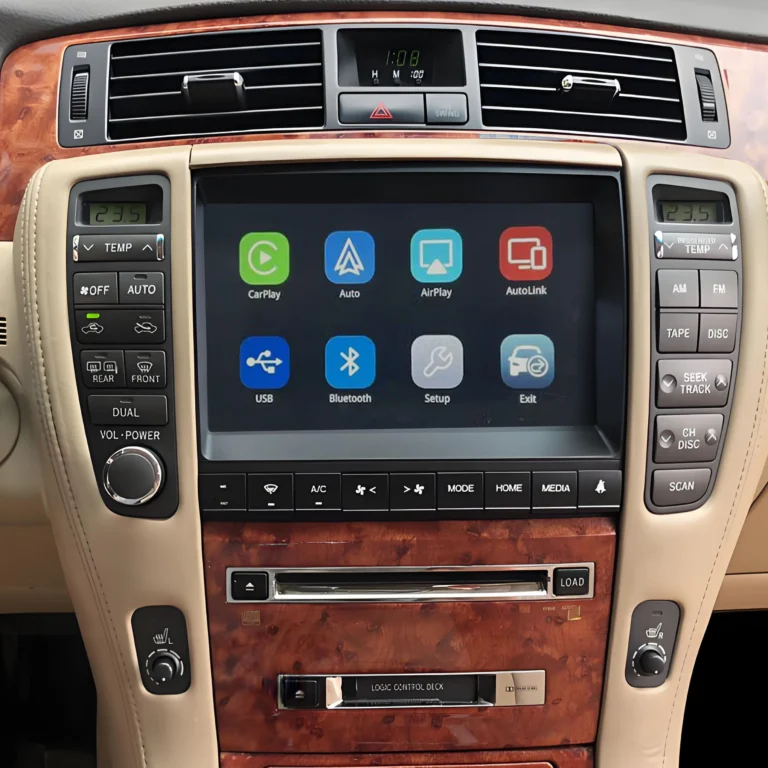
If you own a Toyota Land Cruiser 200 Series (LC200) and want modern smartphone connectivity, a compatible CarPlay retrofit kit can add Apple CarPlay and Android Auto to the factory infotainment system.
Instead of replacing the original dashboard screen with a completely new aftermarket head unit, a vehicle-specific retrofit can integrate smartphone connectivity with the existing factory system while helping retain the original screen and OEM controls.
Can You Add CarPlay to a Toyota 200 Series?
Yes, compatible Toyota 200 Series vehicles can be upgraded with Apple CarPlay and Android Auto.
An AUVETO retrofit interface is designed to integrate with compatible factory infotainment systems and provide access to smartphone functions such as:
- Apple CarPlay
- Android Auto
- Wireless CarPlay, on supported systems
- Wireless Android Auto, on supported systems
- Google Maps
- Apple Maps
- Waze
- Spotify
- Apple Music
- Hands-free phone calls
- Siri and Google Assistant
The exact functions depend on the LC200’s factory head unit and the specific retrofit kit.
What Is an LC200 CarPlay Retrofit?
A Toyota LC200 CarPlay retrofit adds modern smartphone connectivity to the original vehicle infotainment system.
Rather than completely replacing the factory multimedia system, the retrofit interface is integrated with the existing system.
This approach can allow you to keep:
- Original factory screen
- Factory dashboard appearance
- Steering wheel controls
- Factory audio system, where supported
- Backup camera, where supported
- Existing OEM controls
For LC200 owners who want CarPlay but do not want to redesign the dashboard, this can be an alternative to installing a new aftermarket head unit.
Add Apple CarPlay to LC200
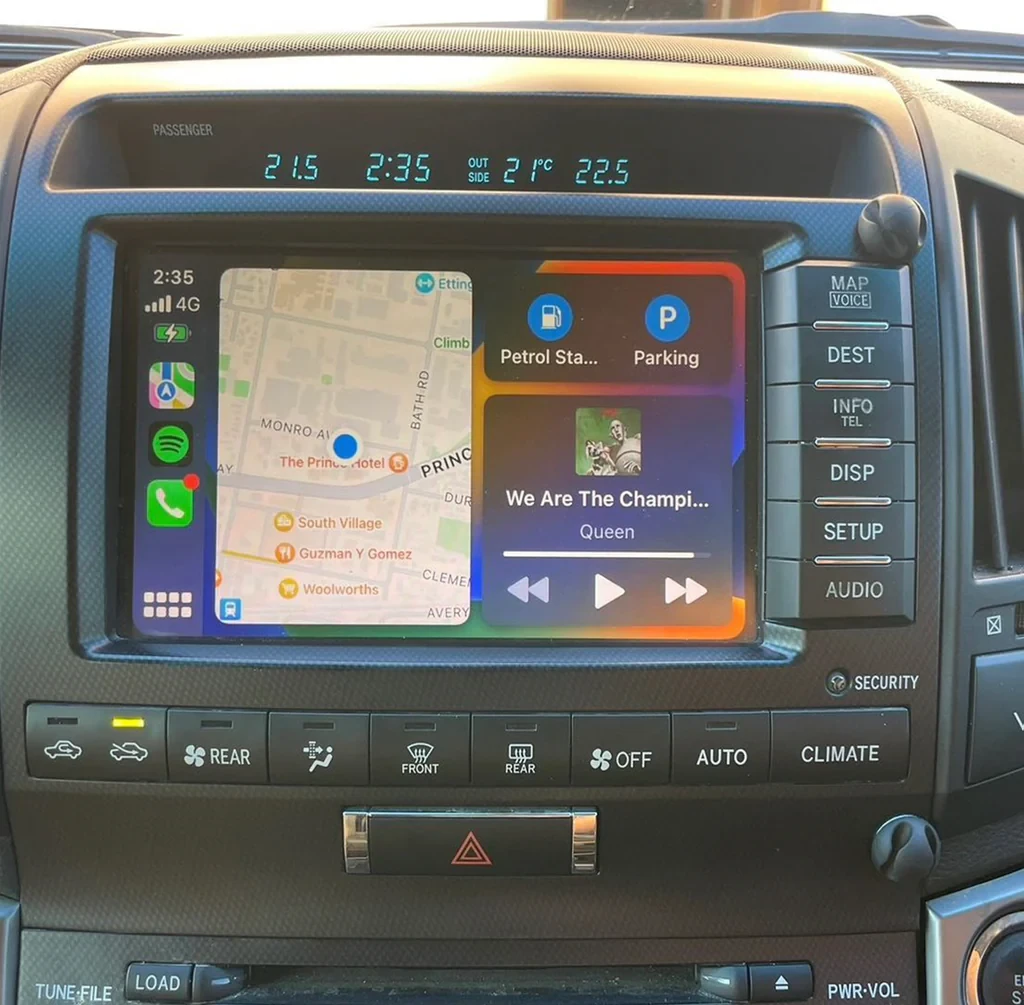
With a compatible system, an iPhone can connect to the LC200 and provide access to supported CarPlay applications.
Popular functions include:
Navigation
Use familiar navigation applications such as:
- Apple Maps
- Google Maps
- Waze
Music
Stream music through applications such as:
- Apple Music
- Spotify
- Other supported CarPlay audio apps
Communication
CarPlay can provide hands-free access to:
- Phone calls
- Messages
- Siri
- Voice commands
The interface allows these functions to be accessed through the vehicle’s infotainment display and supported controls.
Add Android Auto to LC200
The same type of retrofit can also add Android Auto for compatible Android smartphones.
Android Auto provides access to supported applications such as:
- Google Maps
- Waze
- Spotify
- YouTube Music
- Google Assistant
- Phone
- Supported messaging applications
If you have an Android phone rather than an iPhone, an LC200 Android Auto upgrade can provide a similar modern smartphone experience.
Wireless CarPlay for Toyota Land Cruiser 200
One of the most convenient features of a modern LC200 CarPlay upgrade is wireless connectivity.
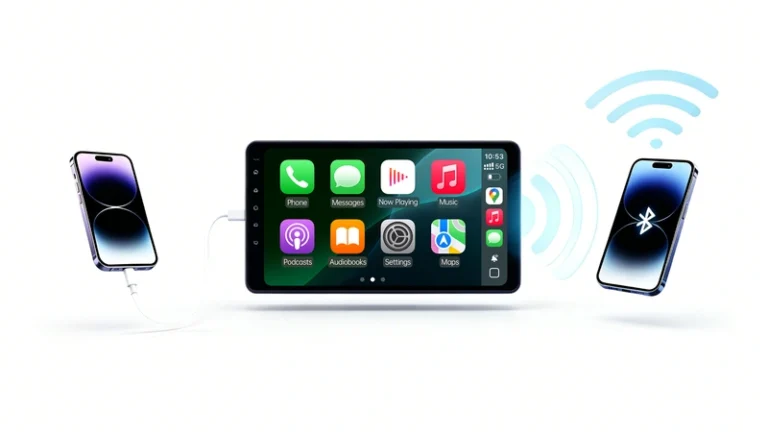
With a compatible wireless system, you can connect your iPhone to CarPlay without repeatedly plugging a USB cable into the vehicle.
Depending on the retrofit kit, Android users can also connect through Wireless Android Auto.
Wireless performance can vary according to the smartphone, software version, retrofit interface, and surrounding wireless environment.
Can I Keep the LC200 Factory Screen?
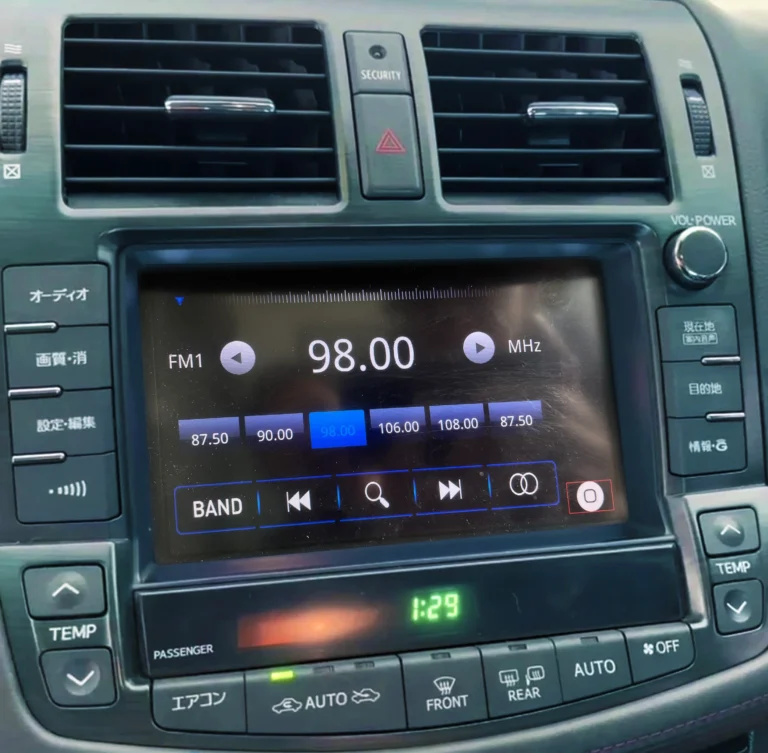
Yes, on compatible systems, the original factory screen can remain in place.
This is one of the main differences between a CarPlay retrofit and a complete aftermarket head-unit replacement.
Keeping the original display can preserve the LC200’s factory interior appearance while adding modern smartphone functionality.
The display resolution and physical characteristics will still be determined by the original factory screen.
Will the Factory Steering Wheel Controls Work?
On compatible LC200 systems, many original steering wheel controls can continue to function after installing the CarPlay interface.
Depending on the factory configuration, this may include:
- Volume up/down
- Track selection
- Phone buttons
- Voice-control buttons
- Audio controls
The exact functions depend on the original Toyota infotainment system and the retrofit interface.
Can I Keep the Factory Backup Camera?
A compatible LC200 CarPlay retrofit can retain the original backup camera.
When reverse is selected, the factory rear-view camera can continue to display through the original screen if the retrofit interface supports the vehicle’s camera configuration.
If your Land Cruiser 200 has additional camera features, such as a 360-degree camera system or parking sensors, verify compatibility before purchasing.
LC200 CarPlay Retrofit vs. Aftermarket Head Unit
| Feature | LC200 CarPlay Retrofit | Aftermarket Head Unit |
|---|---|---|
| Factory screen | Retained on compatible systems | Replaced |
| OEM dashboard appearance | Mostly retained | May change |
| Apple CarPlay | Supported | Usually supported |
| Android Auto | Supported | Usually supported |
| Wireless connection | Available on supported kits | Common |
| Steering wheel controls | May be retained | Depends on installation |
| Factory backup camera | May be retained | Requires compatibility |
| Factory audio | May be retained | Depends on system |
The two approaches are designed for different priorities. A retrofit is particularly relevant when the goal is to add smartphone connectivity while retaining as much of the original LC200 system as possible.
Is Every Land Cruiser 200 Compatible?
No.
The Toyota Land Cruiser 200 Series was sold in different markets and with different factory infotainment configurations. Screen type, head unit, navigation, audio equipment, connectors, and camera systems can vary.
Therefore, LC200 compatibility should be checked using the exact factory system rather than the model name alone.
Before ordering a CarPlay interface, check:
- LC200 model year
- Factory screen
- Head-unit configuration
- Factory navigation
- Factory audio system
- Steering wheel controls
- Backup camera
- 360-degree camera, if equipped
- Market or regional specification
- Factory connectors
A photo of the original infotainment screen can also help identify the correct system.
Why Choose a Vehicle-Specific LC200 CarPlay Kit?
A generic wireless CarPlay adapter is normally designed for vehicles that already have wired CarPlay.
It does not normally add CarPlay to an older factory system that never supported CarPlay.
A vehicle-specific retrofit interface is designed to integrate with a compatible original infotainment system.
For an LC200, this can provide:
- Apple CarPlay
- Android Auto
- Wireless connectivity on supported kits
- Factory-screen integration
- Steering wheel control integration
- Factory camera support
- Factory audio integration
- OEM-style interior appearance
The available features depend on the exact vehicle and retrofit kit.
How to Add CarPlay to an LC200
The general installation process is:
Step 1: Identify the Factory Infotainment System
Check the LC200 model year, factory screen, navigation system, audio system, and camera configuration.
Step 2: Select a Compatible AUVETO Kit
Make sure the retrofit interface is designed for your specific factory system.
Step 3: Install the Interface
The module is connected to the factory infotainment system using the appropriate vehicle-specific connections.
Step 4: Pair Your Smartphone
Connect your iPhone for Apple CarPlay or Android phone for Android Auto.
Step 5: Start Using CarPlay or Android Auto
Once connected, supported navigation, music, phone, messaging, and voice-assistant functions can be accessed through the vehicle system.
Installation may require removing trim panels or accessing the factory head unit. Professional installation is recommended if you are not familiar with automotive electronics.
Frequently Asked Questions
Can I add Apple CarPlay to my Toyota Land Cruiser 200?
Yes, compatible LC200 systems can be upgraded with Apple CarPlay through a vehicle-specific retrofit interface.
Can I add Android Auto too?
Yes, compatible retrofit systems can support Android Auto in addition to Apple CarPlay.
Can I keep my original LC200 screen?
Yes, a factory-screen retrofit is designed to retain the original display on compatible systems.
Can I use Wireless CarPlay?
Compatible AUVETO kits can provide Wireless Apple CarPlay. Check the specifications of the kit designed for your LC200.
Will my factory backup camera still work?
A compatible retrofit can retain the original backup camera. Exact compatibility should be confirmed for your LC200 configuration.
Will I lose my factory audio system?
A vehicle-specific retrofit is designed to integrate with the original infotainment system, and compatible factory audio functions can be retained. The exact behavior depends on the vehicle and retrofit interface.
Final Takeaway
A Toyota 200 Series CarPlay upgrade is a practical way to bring modern smartphone connectivity to a compatible LC200.
With a suitable AUVETO retrofit kit, you can add Apple CarPlay and Android Auto, including wireless smartphone connectivity on supported systems, while retaining the original factory screen and potentially the steering wheel controls, factory audio, and backup camera.
The most important step is to verify your exact LC200 factory infotainment system before ordering. Toyota Land Cruiser 200 models can differ by year, market, head unit, screen, audio system, and camera configuration.
For owners who want modern CarPlay functionality without completely changing the original LC200 interior, a vehicle-specific retrofit provides a factory-screen upgrade path.