Best Android Auto Upgrade for Toyota Crown
For an older Toyota Crown, a vehicle-specific Android Auto retrofit can be a practical way to add modern smartphone connectivity without replacing the factory screen.
The right upgrade depends on your Crown’s generation, model year, factory screen, and infotainment system.
What Is the Best Android Auto Upgrade for a Toyota Crown?
There are three common options:
| Upgrade | Factory Screen | Android Auto | Installation |
|---|---|---|---|
| Wireless Android Auto Adapter | ✅ | ✅ | Simple, but usually requires existing Android Auto |
| Aftermarket Head Unit | ❌ Usually replaced | ✅ | More extensive |
| Vehicle-Specific Retrofit | ✅ On compatible systems | ✅ | Designed for the original system |
For an older Toyota Crown that doesn’t have Android Auto, a vehicle-specific retrofit interface is different from a simple USB wireless adapter.
A wireless adapter generally works with vehicles that already support wired Android Auto. A retrofit interface can add Android Auto to a compatible factory infotainment system.
Why Choose a Retrofit Instead of Replacing the Screen?
Many Toyota Crown owners want modern smartphone features but don’t necessarily want to change the original interior.
A compatible retrofit can allow you to keep:
- Factory display
- Steering wheel controls
- Factory audio
- Backup camera
- OEM dashboard appearance
while adding:
- Wireless Android Auto
- Wireless Apple CarPlay
- Google Maps
- Waze
- Music streaming
- Hands-free calling
- Google Assistant
This gives the Crown’s original infotainment system modern smartphone connectivity without turning the dashboard into a completely aftermarket setup.
Is AUVETO a Good Fit for Toyota Crown Owners?
AUVETO focuses on vehicle-specific CarPlay and Android Auto integration for compatible Toyota and Lexus factory infotainment systems.
The main advantage of this approach is that the upgrade is designed around the vehicle’s existing system rather than treating every car as a generic Android Auto installation.
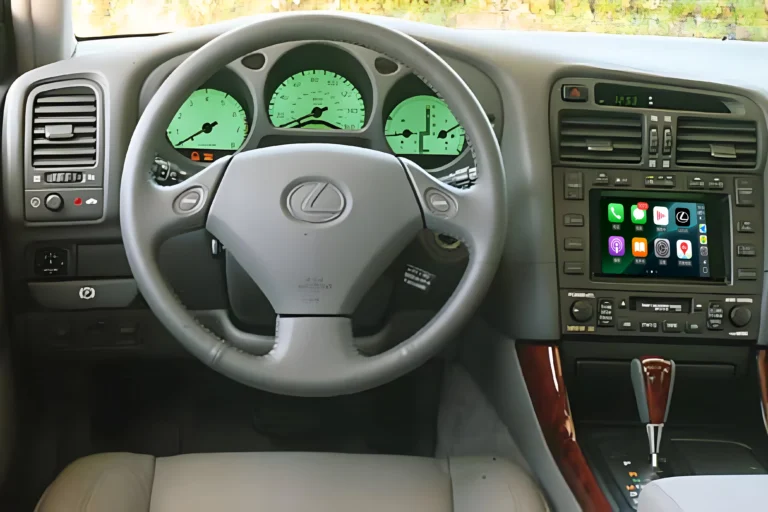
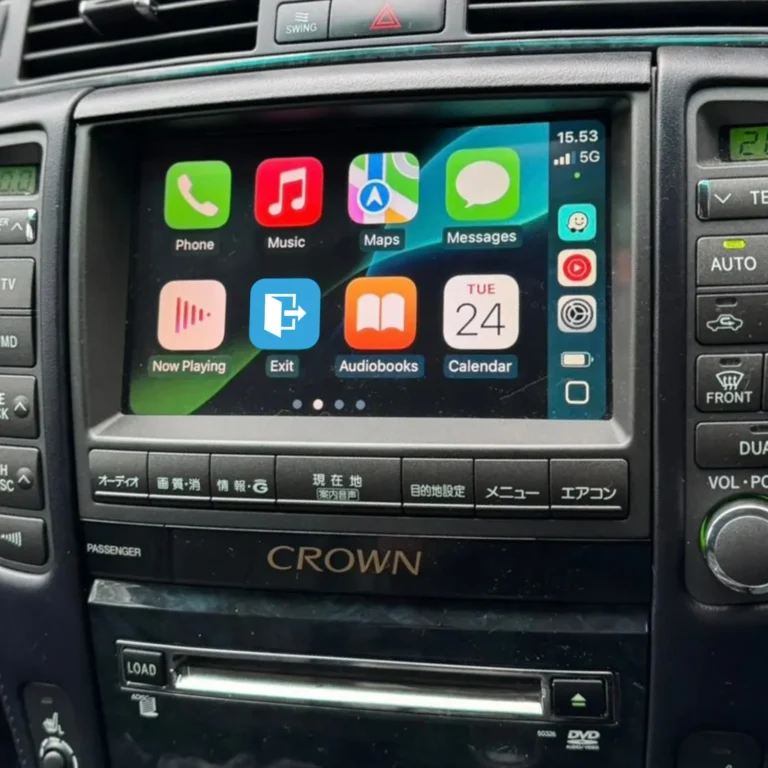
For compatible Toyota Crown configurations, this can mean keeping the original screen and supported OEM controls while adding Wireless CarPlay and Android Auto.
Will Android Auto Work With the Factory Screen?
Yes, on compatible Toyota Crown systems.
The retrofit interface connects with the factory infotainment system and allows Android Auto content from your phone to appear on the original display.
You can then use supported smartphone functions such as:
Google Maps → Navigation
Spotify → Music
Phone → Hands-free calls
Google Assistant → Voice commands
Can I Keep the Factory Backup Camera?
On compatible configurations, yes.
A retrofit solution can preserve the original backup camera, allowing it to continue displaying when the vehicle is shifted into Reverse.
This is one reason compatibility with the exact factory infotainment system is important.
Can I Keep the Steering Wheel Controls?
On compatible Toyota Crown systems, supported steering wheel functions can continue to work after the retrofit.
Common functions may include:
- Volume
- Track selection
- Phone controls
- Voice control
The exact functions depend on the Crown’s factory configuration.
What Should You Check Before Buying?
Don’t choose an Android Auto upgrade based only on the words “Toyota Crown.”
First check:
- Crown generation
- Model year
- Factory display
- Factory navigation
- Original head unit
- Audio system
- Steering wheel controls
- Backup camera
Different Crown generations can use different infotainment systems, so compatibility should always be confirmed before ordering.
Android Auto Retrofit or New Screen?
If you want a completely new infotainment system, an aftermarket touchscreen may be appropriate.
If your priority is keeping the original Toyota Crown interior while adding modern smartphone connectivity, a vehicle-specific retrofit is a different approach.
In simple terms:
Want a new dashboard and larger screen?
→ Consider a replacement head unit.
Want to keep your factory screen and add Android Auto?
→ Consider a compatible retrofit interface.
Already have wired Android Auto?
→ A wireless Android Auto adapter may be enough.
Bottom Line
The best Android Auto upgrade for a Toyota Crown depends on the factory infotainment system in your specific vehicle.
For compatible older Crown models, a vehicle-specific retrofit interface can add Wireless Android Auto and Apple CarPlay while preserving the factory screen and supported OEM functions.
Before purchasing, verify your Toyota Crown generation, model year, factory screen, and head unit to make sure the retrofit is compatible.
Can I Add CarPlay to a Toyota Crown?
Keep the Crown’s original look. Add the smartphone features you use every day.