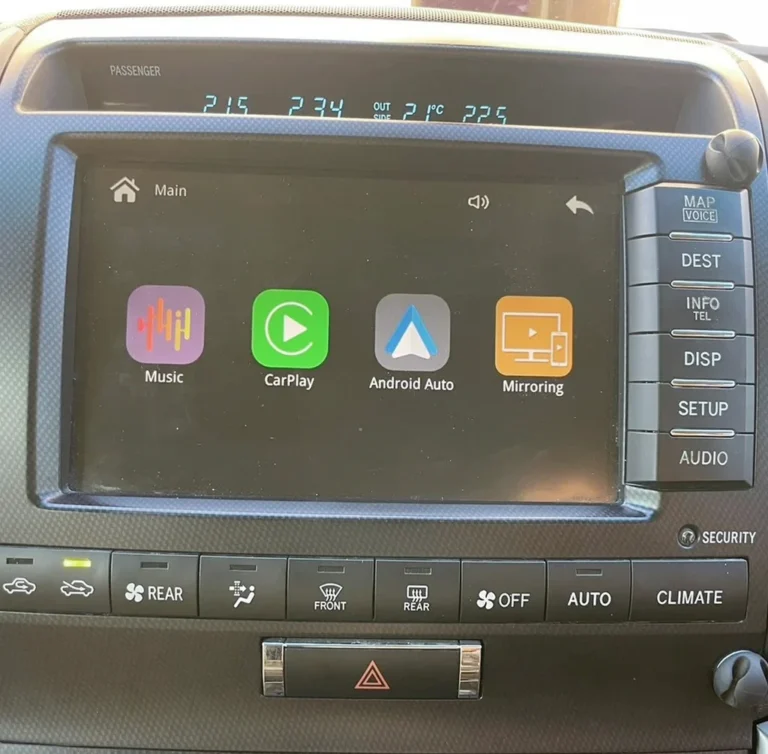
Will I lose my steering wheel controls with CarPlay?
In most cases, no. A vehicle-specific interface module works with the factory head unit, so the steering wheel buttons, console knobs and touchscreen keep working while CarPlay is on your screen. Control retention varies by vehicle, and some buttons behave a little differently, such as pressing and holding to wake Siri. Confirm the details for your model before you order.
Key takeaways
- A module that connects to the factory head unit is designed to work alongside your original controls.
- Which controls carry over depends on your model, year and factory system, so check fitment first.
- The voice button often needs a long press to wake Siri, while a short press may still open the factory voice assistant.
- Lexus owners should confirm whether their car uses a touch panel, a knob or a joystick, because the right kit depends on it.
Why the controls usually keep working
An interface module sits between the factory head unit and the display, so CarPlay appears on the original screen and the car keeps its own control system. The module reads the signals from the car’s buttons and controllers and passes them to CarPlay. For example, turning the factory controller can move through the CarPlay menu, and pressing it confirms a selection.
That is the main difference from replacing the head unit, where you would swap the whole control setup along with the screen.
Which controls usually carry over
| Control | What usually happens |
|---|---|
| Steering wheel volume buttons | Typically keep working and change CarPlay volume |
| Steering wheel voice button | A press and hold usually wakes Siri, and a short press may still open the factory assistant |
| Phone buttons on the wheel | Supported on many kits. Confirm for your model |
| Track skip | Supported on some kits, such as AUVETO’s kit for the Lexus LX |
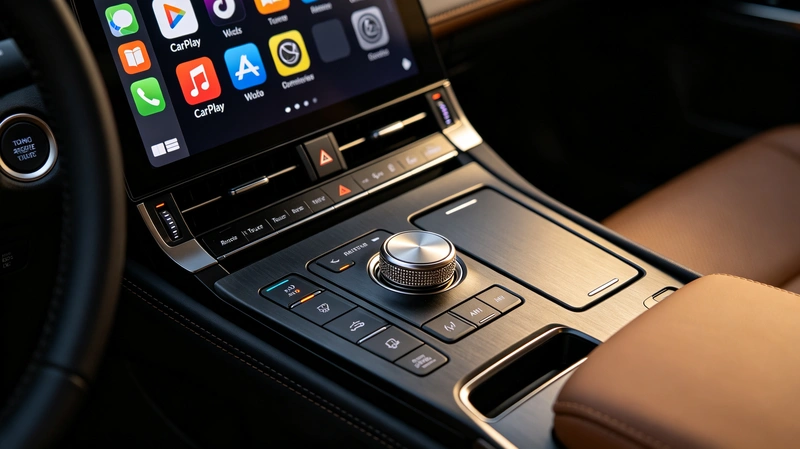
| Center console knob or controller | Can move through CarPlay menus and confirm selections |
| Lexus touch panel, knob or joystick | The kit has to match your control layout |
| Factory touchscreen | Stays in use if the kit supports your specific screen |
| Climate keys | Factory climate keys stay in use on supported vehicles |
AUVETO describes its kits as keeping the factory screen, the dashboard look and the steering wheel controls. On the Lexus LX kit, the original touchscreen, steering wheel buttons, physical climate keys and center console controllers are all listed as supported.
Voice control: how the Siri button works
Most drivers use the steering wheel voice button more than any other control. On many cars, a short press activates the car’s own voice assistant for functions such as climate control, and a press and hold wakes Siri directly. That lets you send messages, get directions or start music without taking your hands off the wheel. How it behaves depends on the vehicle and the kit, so ask about your model if voice control matters to you.
Switching between CarPlay and the factory system
With many kits you can switch between CarPlay and the original system using the car’s own controls, so the factory menus, radio and settings stay available. The exact button or knob action differs between kits, so ask what it is on your model.
Why the exact model matters
Toyota and Lexus vehicles from similar years can have different screens, control layouts and software versions. A Lexus that uses a touch panel, for example, may need a different kit from a Lexus with a knob or joystick. That is why matching the kit to your exact vehicle, not just the model name, is the most important step.
What if a control doesn’t work after installation?
- Confirm the kit is listed for your model, year and control layout.
- Recheck the connections behind the head unit.
- Check whether the button behaves differently in CarPlay mode, for example a long press instead of a short one.
- Contact support with your vehicle details and a description of which control fails.
AUVETO includes 1-on-1 remote tech support with every kit, so you can go through these steps with the team.
Before you order: a quick checklist
- Write down your make, model, year and trim.
- Note which steering wheel buttons you use most, such as volume, voice, phone and track skip.
- Check whether your car uses a touchscreen, touch panel, knob or joystick.
- Send those details to the team for a fitment check, along with photos of your screen and controls if it helps.
Not sure your vehicle is compatible?
Toyota and Lexus screens vary by model, market and software version. Browse the AUVETO collection for your vehicle, or contact the team for a fitment check before you order.
FAQ
Will I lose my steering wheel controls with CarPlay?
In most cases, no. A vehicle-specific interface module works with the factory head unit, so the steering wheel buttons, console knobs and touchscreen keep working. Control retention varies by vehicle, so confirm your model first.
Can I still use the steering wheel voice button for Siri?
Usually yes. A press and hold on the voice button commonly wakes Siri, while a short press may still open the factory voice assistant. Behavior varies by vehicle and kit.
Will my factory knob, touchpad or joystick still work?
On supported vehicles, yes. The kit has to match your control layout, so tell the team whether your car has a touch panel, knob or joystick.
Will the factory touchscreen still work?
If the kit supports your specific screen, yes. Touch operation is retained on supported vehicles.
Will my climate controls still work?
Yes, on supported vehicles. The factory climate keys are not affected by the CarPlay interface.
Can I still use the factory system after installing the module?
Yes. The module adds CarPlay and Android Auto as an extra source, and many kits let you switch between it and the original system using the car’s controls. Ask how the switch works on your model.