Toyota Crown Factory Screen CarPlay Upgrade
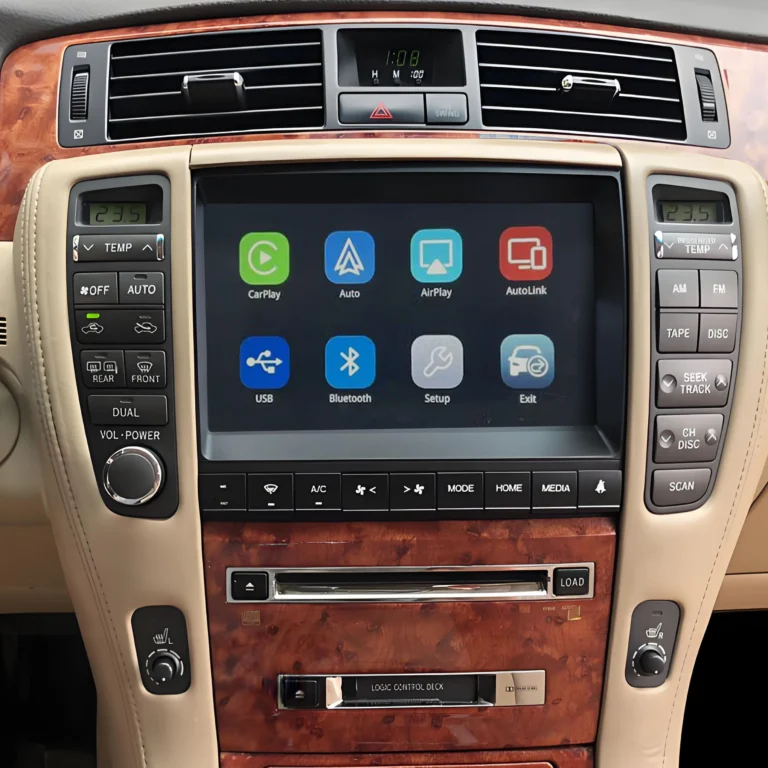
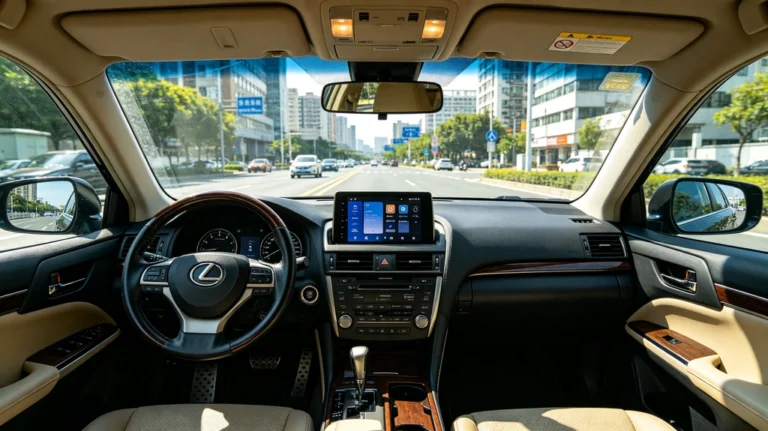
A Toyota Crown factory screen CarPlay upgrade can add Wireless Apple CarPlay and Android Auto to a compatible original Toyota Crown infotainment system without replacing the factory display.
For Crown owners who want modern smartphone connectivity but prefer to keep the original dashboard and factory screen, a vehicle-specific CarPlay retrofit interface can be an alternative to installing a completely new aftermarket head unit.
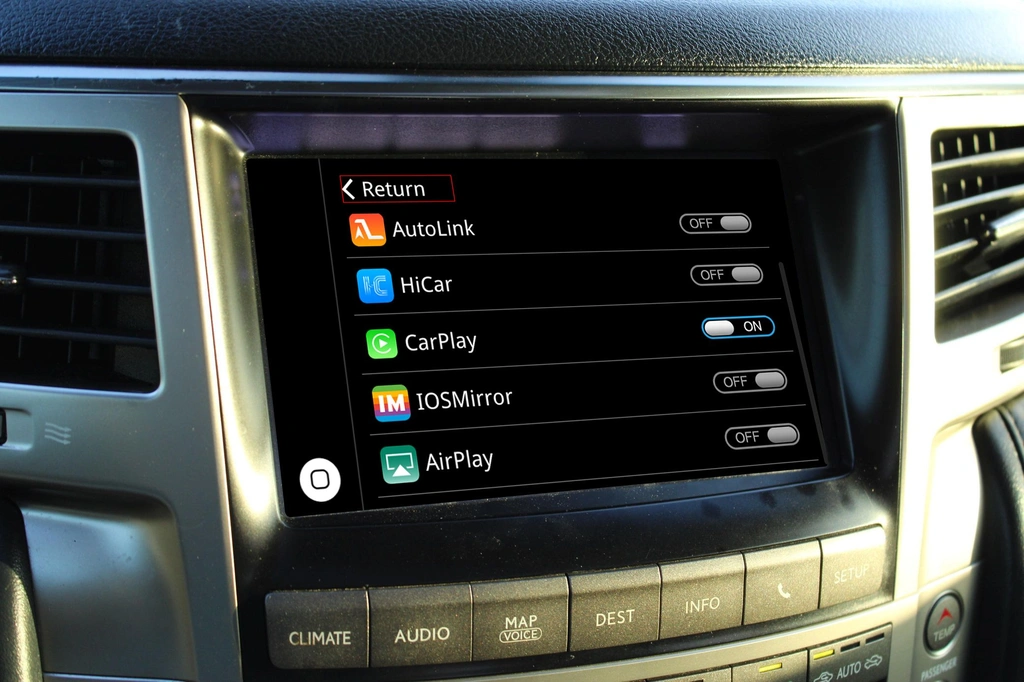
What Is a Toyota Crown Factory Screen CarPlay Upgrade?
A factory-screen CarPlay upgrade adds smartphone connectivity to the Crown’s existing infotainment system.
Instead of removing the original screen, the retrofit interface is integrated with the factory multimedia system. Depending on the vehicle and interface, drivers can use:
- Wireless Apple CarPlay
- Wireless Android Auto
- Google Maps
- Apple Maps
- Waze
- Spotify and other music apps
- Hands-free phone calls
- Siri or Google Assistant
- Smartphone voice commands
The exact functions depend on the Toyota Crown’s factory head unit and the retrofit interface being used.
Can I Keep the Original Toyota Crown Screen?
Yes, if the Crown’s factory infotainment system is compatible with the retrofit interface.
This is one of the main advantages of a factory-screen CarPlay upgrade. Instead of replacing the original monitor with a new aftermarket display, the existing screen can remain in place.
Keeping the factory screen can preserve:
- The original dashboard appearance
- Factory screen location
- OEM-style interior design
- Existing vehicle menus
- Original control layout
- Factory audio functions, where supported
This makes the upgrade particularly useful for owners who want modern smartphone functions without changing the appearance of the Crown’s interior.
Will the Toyota Crown Steering Wheel Controls Still Work?
On compatible systems, the original steering wheel controls can continue to operate after the CarPlay retrofit.
Depending on the Crown configuration, this may include:
- Volume control
- Track selection
- Phone buttons
- Voice-control buttons
- Audio controls
The exact functions vary according to the original factory system.
This is different from simply mounting a separate CarPlay display on the dashboard, because a vehicle-specific retrofit is designed to communicate with the existing vehicle infotainment controls.
Can the Factory Backup Camera Be Retained?
In many compatible Toyota Crown applications, the factory backup camera can remain functional after installing the CarPlay interface.
When reverse is selected, the original camera image can continue to appear on the factory display if the retrofit system supports the vehicle’s camera configuration.
Compatibility should be checked carefully if the Crown has:
- A factory rear-view camera
- A 360° camera system
- Parking sensors
- Factory navigation
- Multiple camera inputs
Different Crown generations and factory infotainment systems can use different camera and video configurations.
Wireless CarPlay Without Replacing the Factory Screen
One of the main reasons Crown owners look for a factory screen CarPlay upgrade is to avoid replacing the original monitor.
A compatible retrofit can provide Wireless CarPlay so an iPhone can connect to the vehicle without repeatedly plugging in a USB cable.
After connection, supported applications can be controlled through the factory display and compatible vehicle controls.
For Android users, systems that support Wireless Android Auto can provide similar smartphone integration.
Factory Screen Upgrade vs. Aftermarket Screen
| Feature | Factory Screen CarPlay Retrofit | Aftermarket Screen |
|---|---|---|
| Original Crown screen | Retained | Replaced |
| Factory dashboard appearance | Preserved | May change |
| OEM controls | May be retained | Depends on system |
| Factory backup camera | May be retained | Requires compatibility |
| Wireless CarPlay | Available on supported interfaces | Common |
| Wireless Android Auto | Available on supported interfaces | Common |
| Factory audio | May be retained | Depends on installation |
| Vehicle-specific integration | Important | Important |
For owners who specifically want to preserve the original Crown interior, a factory-screen retrofit provides a different upgrade path from replacing the entire infotainment display.
Does Every Toyota Crown Support a Factory Screen CarPlay Upgrade?
No. Compatibility depends on the factory infotainment system.
Toyota Crown models have been produced across multiple generations, markets, chassis configurations, and infotainment systems. The screen, head unit, connectors, audio system, and camera configuration can differ between vehicles.
Therefore, the vehicle name alone is not enough to determine compatibility.
Before purchasing a Toyota Crown CarPlay interface, check:
- Model year
- Crown generation or chassis code
- Factory screen size
- Factory screen appearance
- Navigation system
- Factory audio system
- Steering wheel controls
- Backup or 360° camera
- Regional/JDM specification
- Factory connector configuration
A photograph of the original screen and dashboard can also help identify the correct retrofit solution.
Why Use a Toyota Crown-Specific CarPlay Interface?
A generic Wireless CarPlay adapter normally requires the vehicle to already have wired CarPlay.
That means a USB wireless adapter generally cannot add CarPlay to an older factory infotainment system that never supported CarPlay in the first place.
A vehicle-specific retrofit interface is designed for a different purpose: integrating modern smartphone connectivity with a compatible original infotainment system.
Potential advantages include:
- Original factory screen retention
- Wireless CarPlay
- Wireless Android Auto
- OEM steering wheel control integration
- Factory camera retention
- Factory audio integration
- Less visual change to the dashboard
The actual functions depend on the specific Crown and interface.
How to Upgrade a Toyota Crown to Factory-Screen CarPlay
The typical process is:
Step 1: Identify the Factory System
Determine the Crown’s model year, generation, screen type, navigation system, and factory audio configuration.
Step 2: Confirm Compatibility
Make sure the retrofit interface is specifically compatible with the Crown’s factory infotainment system.
Step 3: Install the Interface
The vehicle-specific interface is connected to the original infotainment system using the appropriate wiring and connectors.
Step 4: Connect Your Smartphone
After installation, pair a compatible iPhone for Wireless CarPlay or an Android phone for Wireless Android Auto, depending on the interface.
Step 5: Use the Factory Controls
Where supported, the original steering wheel buttons and factory controls can be used to operate compatible CarPlay or Android Auto functions.
Frequently Asked Questions
Can I add CarPlay without changing my Toyota Crown screen?
Yes, a compatible vehicle-specific retrofit interface can add CarPlay while retaining the original factory screen.
Is Wireless CarPlay available?
Many modern retrofit interfaces support Wireless Apple CarPlay. Check the specifications of the specific Toyota Crown-compatible interface.
Can I use Android Auto too?
If the interface supports Android Auto, compatible Android smartphones can use Android Auto through the original Crown display.
Will I lose the original radio?
A compatible retrofit is designed to integrate with the existing infotainment system, so factory functions can often remain available. Exact functionality depends on the Crown’s original system.
Can I keep my factory backup camera?
Many compatible systems can retain the original backup camera, but camera compatibility should be verified for the exact Crown configuration.
Do I need a new touchscreen?
Not necessarily. A factory-screen retrofit is specifically intended to add smartphone connectivity without automatically replacing the original display.
Bottom Line
A Toyota Crown Factory Screen CarPlay Upgrade can modernize an older factory infotainment system while preserving the original screen and much of the vehicle’s OEM functionality.
For compatible Crown systems, a vehicle-specific CarPlay retrofit can provide Wireless Apple CarPlay and Android Auto, while potentially retaining the factory screen, steering wheel controls, backup camera, and audio system.
The most important step before purchasing is checking the exact Toyota Crown factory infotainment configuration. Model year alone may not be sufficient because different Crown generations and regional versions can use different factory systems.
AUVETO’s vehicle-specific retrofit approach is designed for compatible factory systems, giving Toyota Crown owners a way to add modern smartphone connectivity without necessarily replacing the original display.